CAD Software
User guide for 3D printing objects from CAD software.
Export a Tinkercad Design
- Click Export
- Select what to include
- Select .STL
Export a Fusion 360 Design
-
Click
 > 3D Print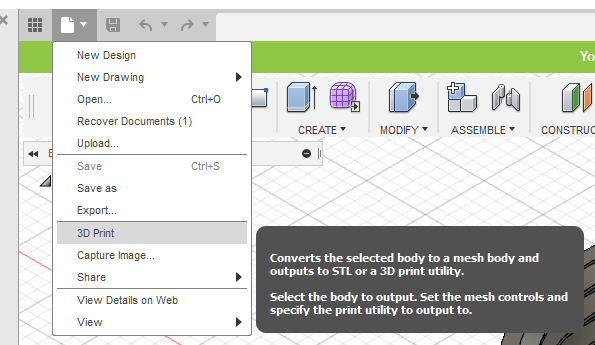
-
Select the body to 3D print
Note
The object to be printed must be one complete body.
-
Uncheck Send to 3D Print Utility
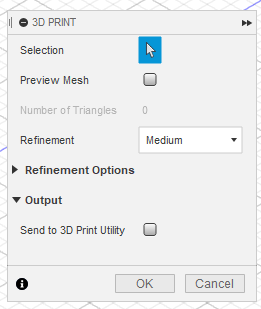
-
Click OK
- Save The STL file